Azure Onboarding - Mandatory Preboarding Checklist
Last updated: March 23, 2026
1. User Access Admin role at Root scope
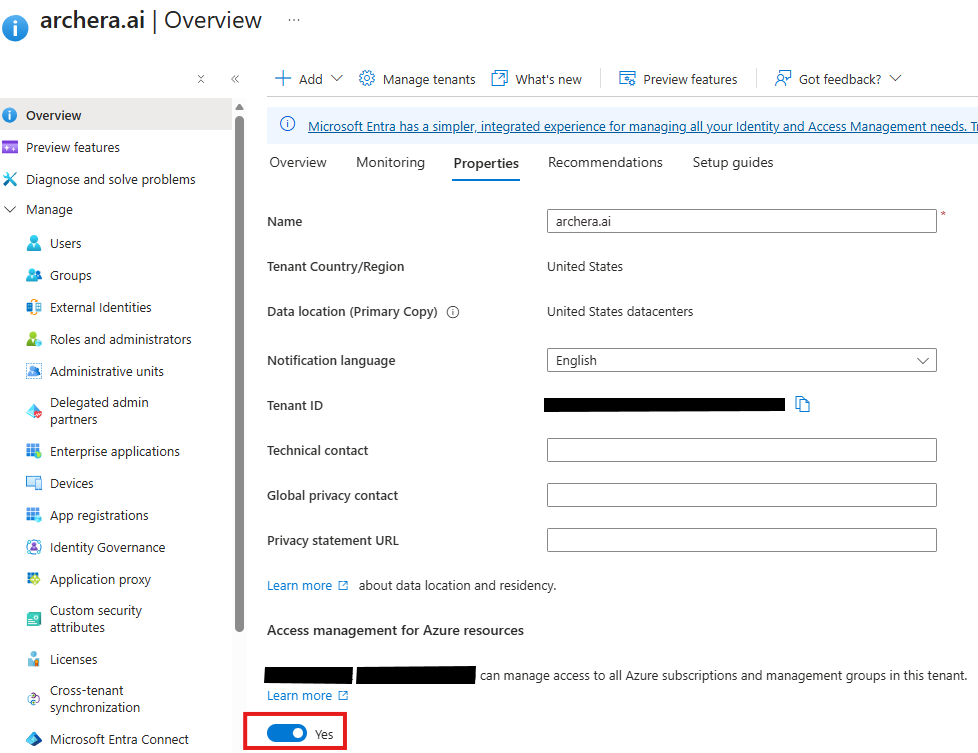
Archera creates a Custom RBAC role inside an Azure Tenant. Please make sure your user has Access management for Azure resources enabled.
This is a hard requirement BEFORE beginning Archera's Azure onboarding. If you don't verify or action this step, the onboarding will fail.
NOTE: The "onboarding user" will be whoever from your company that executes the Archera onboarding process
We are NOT asking for you to grant Archera these permissions. We are ensuring your personnel has sufficient permissions in your environment to complete the process.
Global Admin + Entra Properties Toggle On
Users > select onboarding user > Assigned roles > Add Assignment > Chose
Global Administratorin Role DirectoryEntra > Properties > Switch ON
Access management toggleif its OFF
You can find this setting in: Microsoft Entra ID > Overview > Properties
This toggle needs to be enabled only for your personnel for the duration of the onboarding and then can be disabled
2. Contributor role at Subscription scope
Your designated "onboarding user" needs Contributor RBAC role at Subscription scope.
NOTE: The "onboarding user" will be whoever from your company that executes the Archera onboarding process
We are NOT asking for you to grant Archera these permissions. We are ensuring your personnel has sufficient permissions in your environment to complete the process.
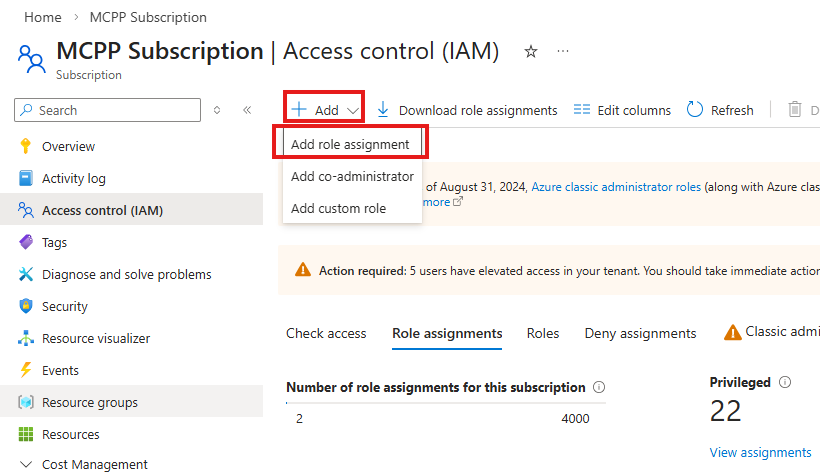
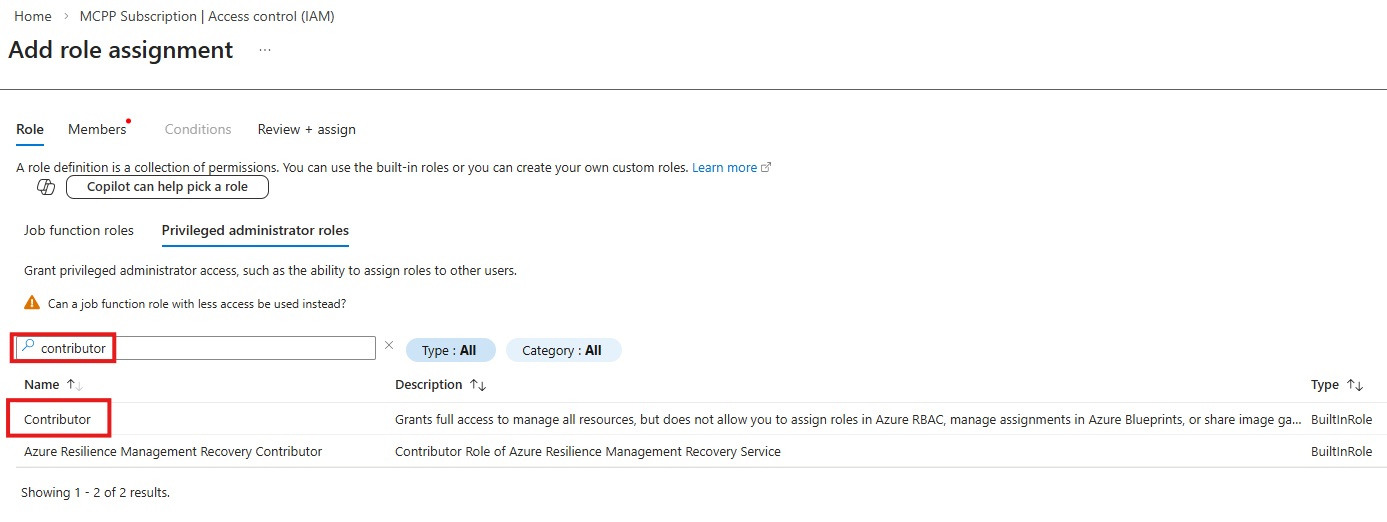
This is contributor access is only required for the single subscription as detailed below
When you provide your Azure Tenant ID and Subscription ID in the first stage of onboarding flow (pictured below), this subscription will house a
Resource GroupandStorage Accountto store Cost ExportsMicrosoft requires Cost Exports to live in a storage account in your own Azure estate.
We create those resources on your behalf later in the onboarding flow. In order to facilitate that, we need the contributor access to just the one sub.
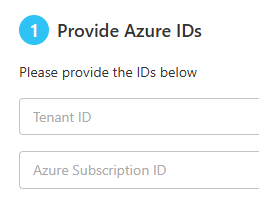
Yes, you can onboard more than one subscription at a time. We just need one of your subs earmarked to hold the cost exports for all of the subscriptions you choose to onboard into Archera.