Invite Users and Onboarding Troubleshooting
Last updated: September 25, 2025
You can Invite Users by following these steps
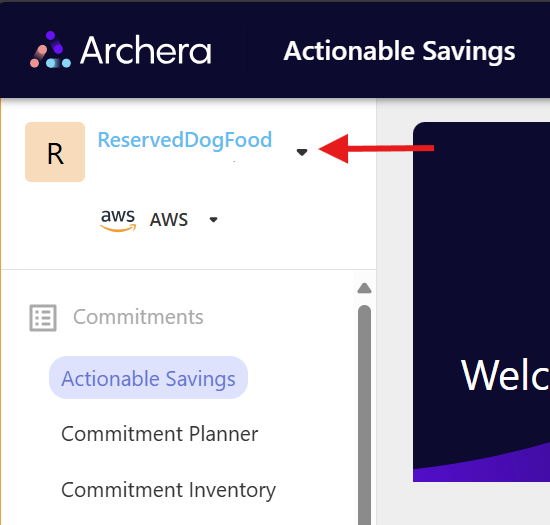
Click on the selection arrow next to your organizations name
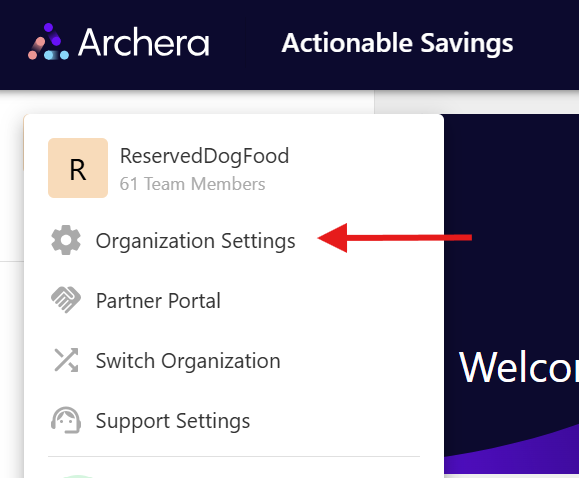
Click on Organization Settings
Click on Users

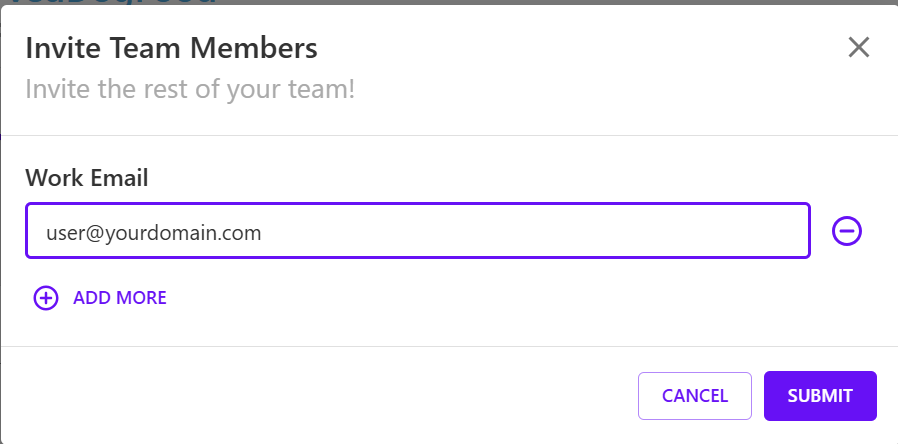
Click on Invite Members

Enter email alias for user you wish to invite and click Submit
As an invited user I am stuck in onboarding or my organization looks off.
Ask the sender / admin of the Archera org If you see an invite has been sent in the settings page.
Did you send the invite to an alias or their primary account?
If so, resend the invite or invite a user with their primary email.
If a user try's to sign in with another email they will not be linked to the account. Let us know if they setup a wrong account and we can remove it.