Azure Onboarding - Supported Account / Subscription Types
Last updated: October 6, 2025
Archera offers the flexibility to onboard using either an individual Subscription or overall Billing Account.
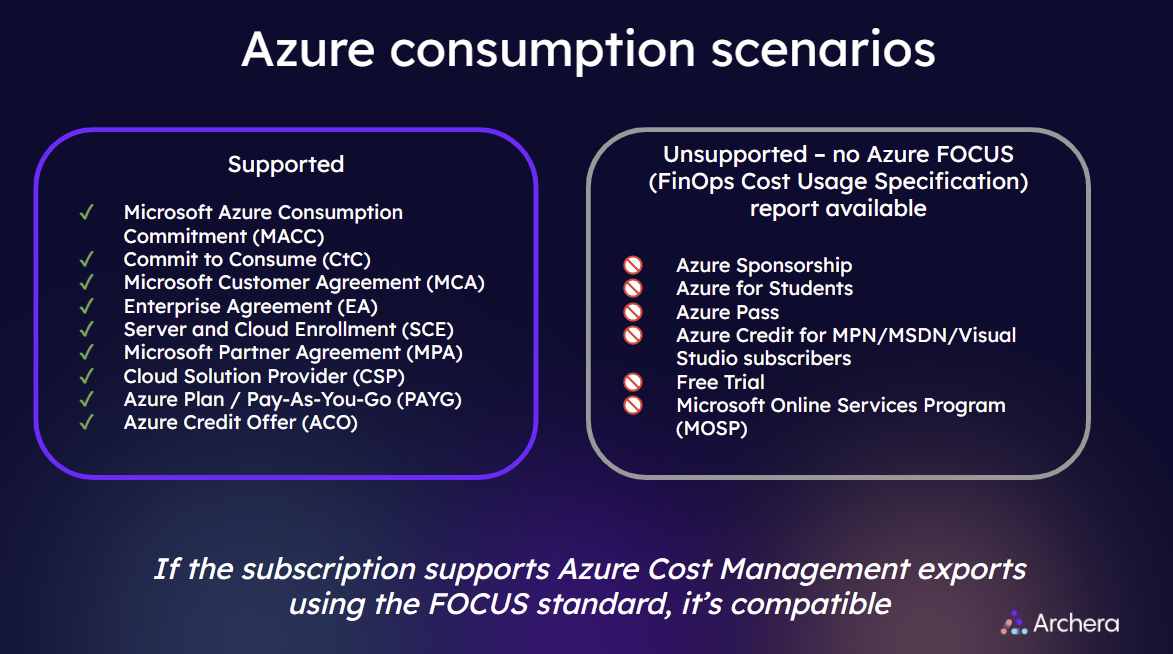
To onboard Archera into your Azure environment, your cost and usage report will need to be available in FOCUS format. Microsoft is a founding member of The FinOps Cost Usage Specification (FOCUS) project, an industry standard cost data specification.
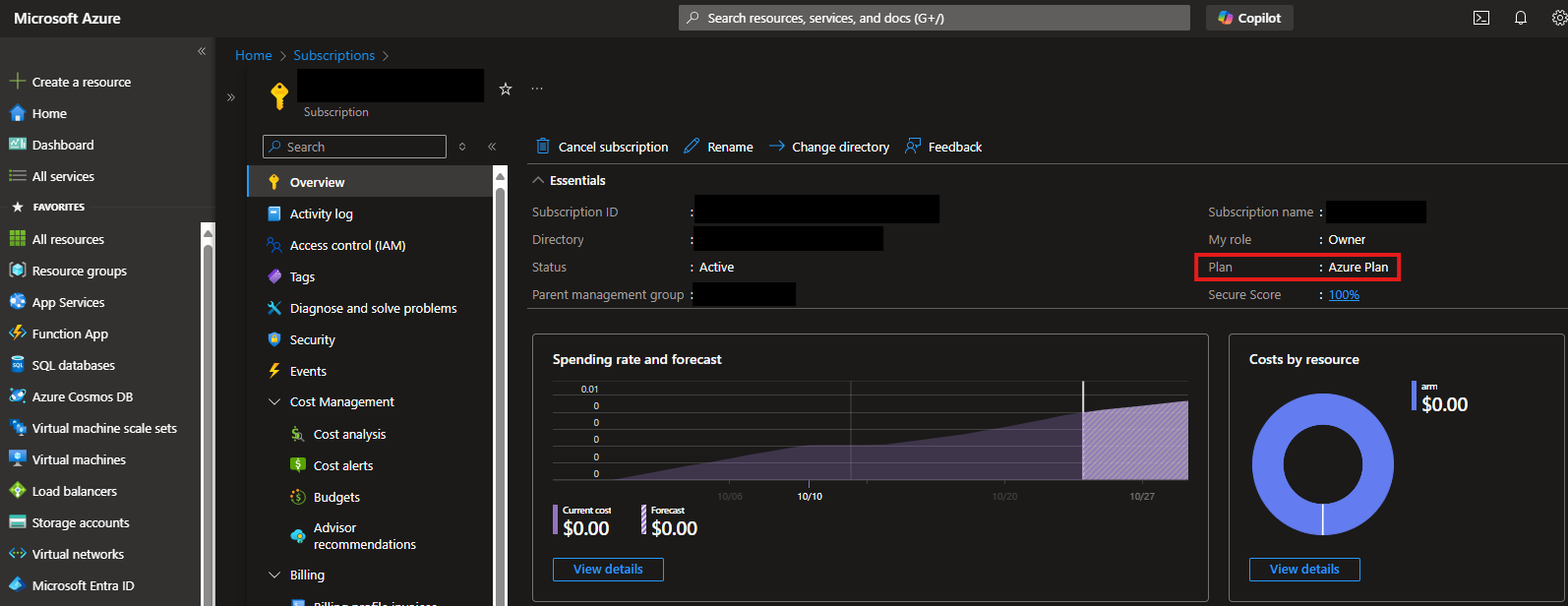
All modern, paid Azure subscriptions support the FOCUS format. Common scenarios that do not support FOCUS include legacy subscriptions (e.g., MOSP) and unpaid subscriptions (e.g., Azure Credit for MSDN subscribers).
How to check your Azure billing account type
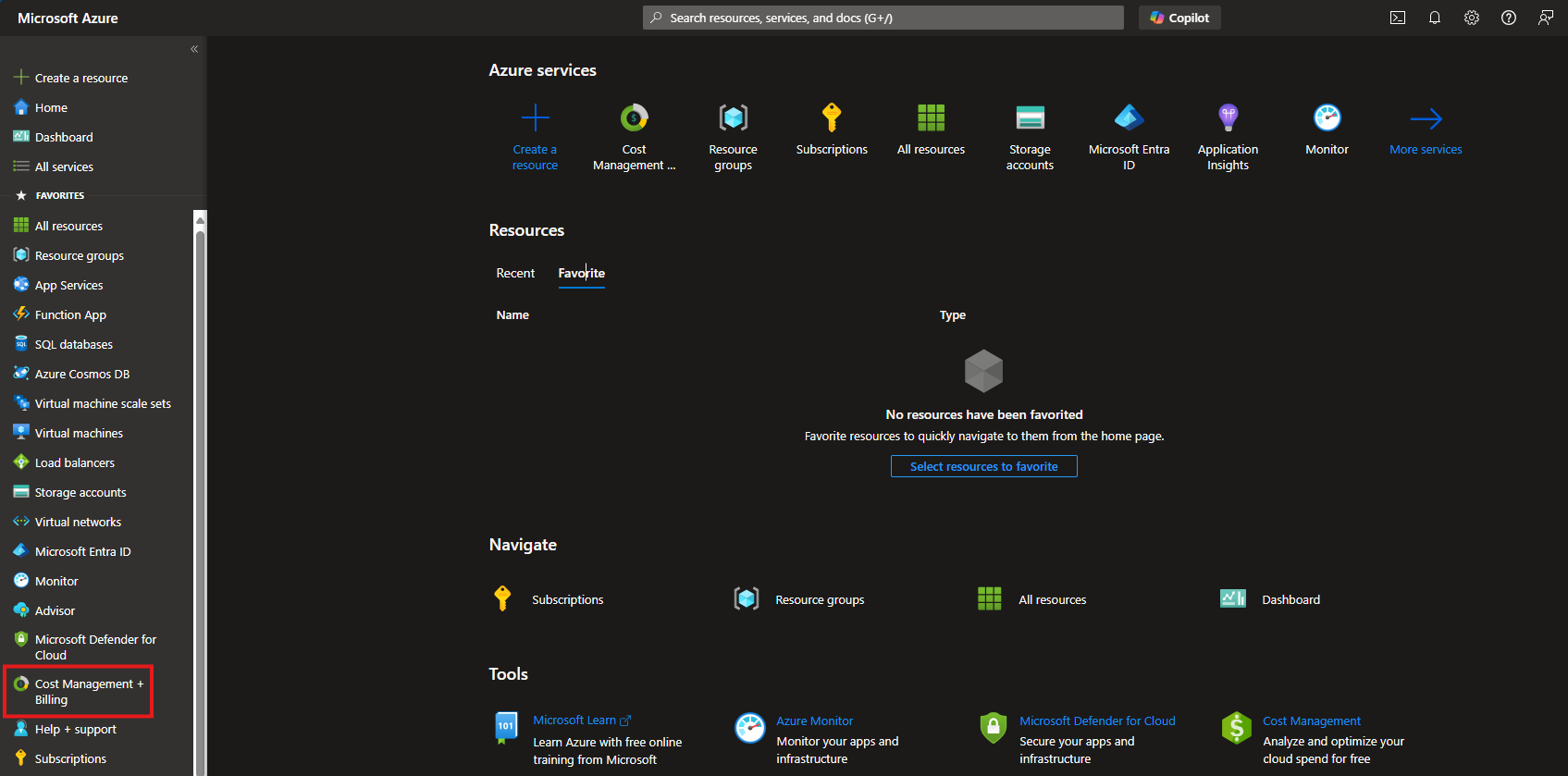
Login to your Azure account
Click on "
Cost Management and Billing"If you don't have permissions for this page, scroll down to see how to check your Azure subscription type
Next click on "Billing Scopes"
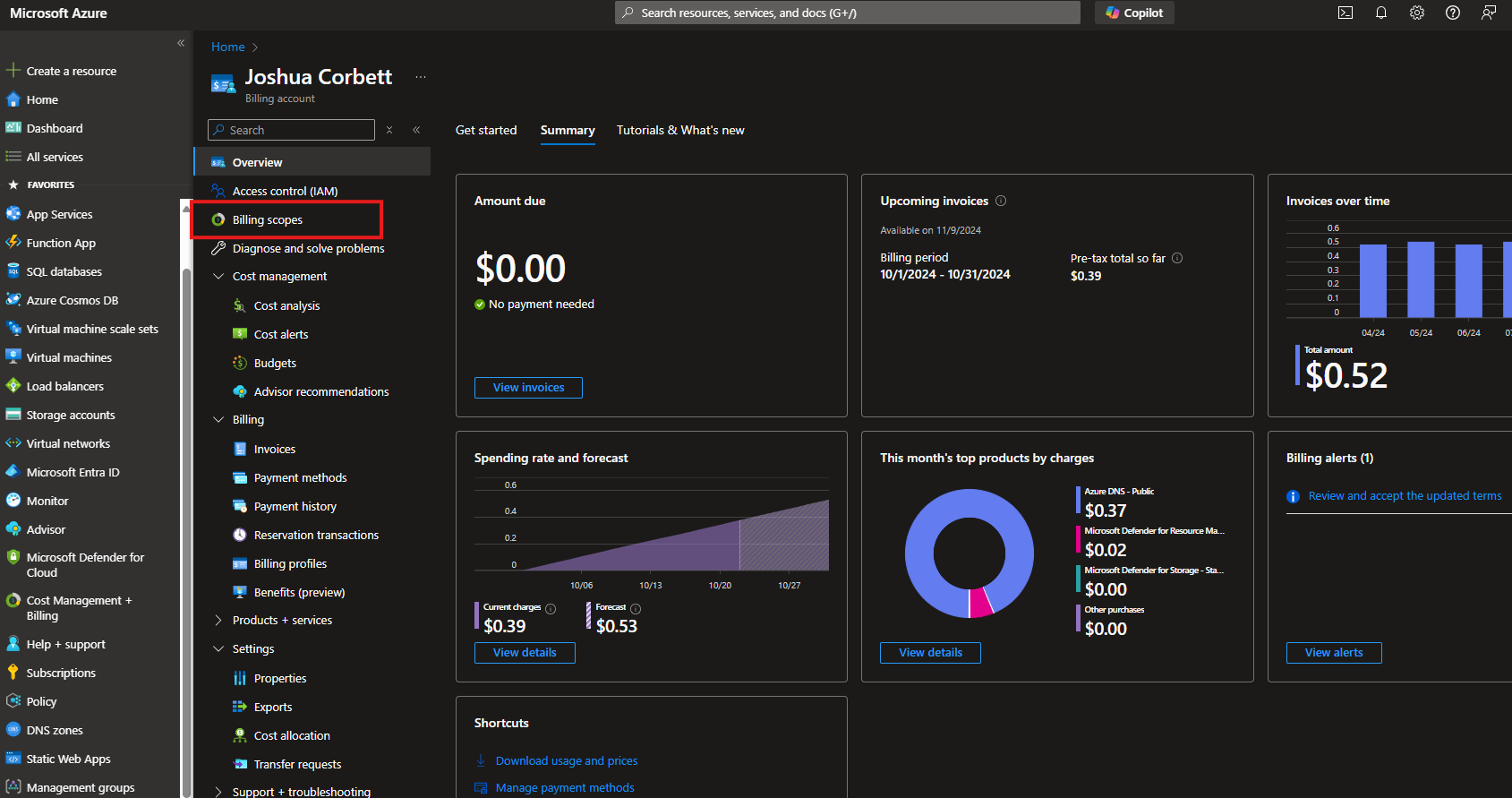
Take a look at the column titled "
Billing account type"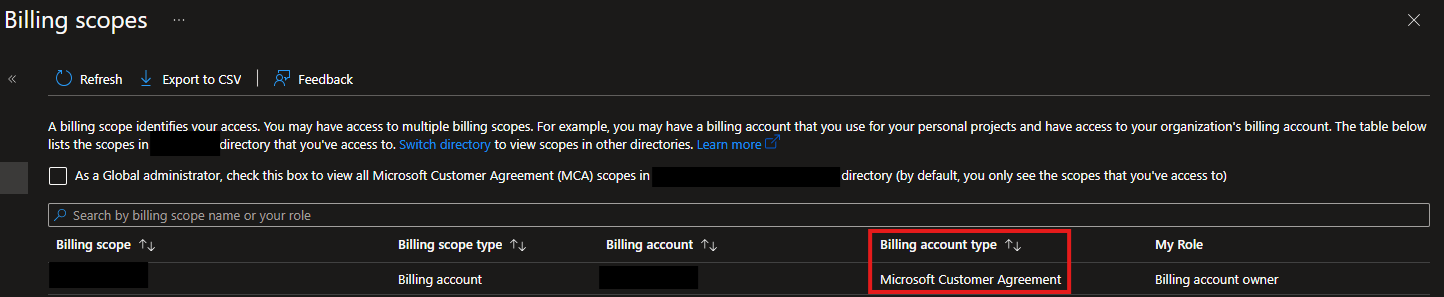
Ensure the value there in billing account type is populated with either "
Microsoft Customer Agreement" or "Microsoft Partner Agreement" or "Enterprise Agreement"These are the only Azure billing account types that support exporting cost and usage reports in the FOCUS standard
If your billing account type is "
Microsoft Online Services Program" please click here to follow the Microsoft instructions here on transferring your legacy Azure billing account to a new commerce experience (NCE) billing account
How to check your subscription type
Login to your Azure account
Click on "
Subscriptions"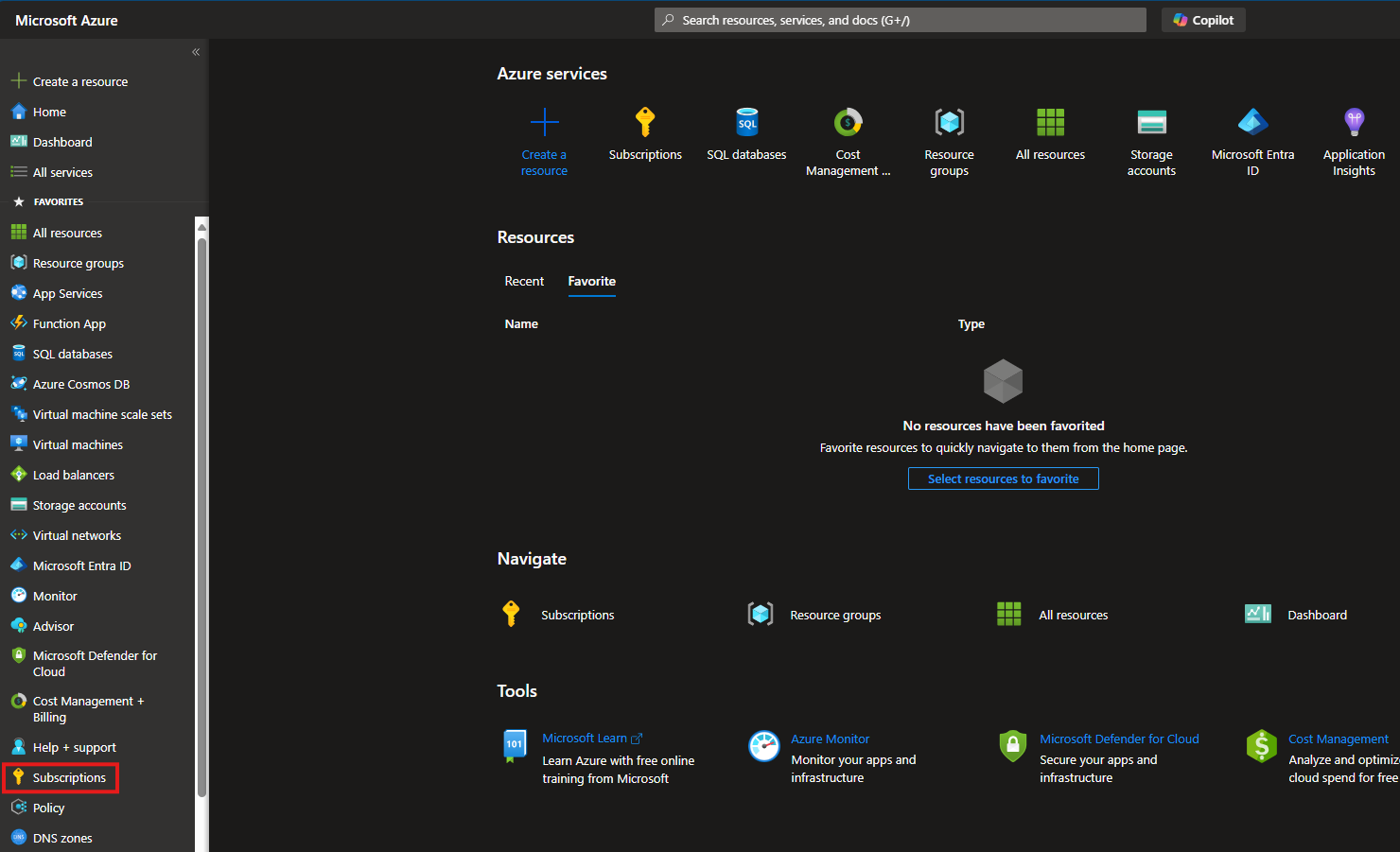
Click on each of your individual subscriptions listed
Check the Plan Name value as shown below
Ensure the value is either "
Azure Plan" or "Azure in CSP"